.avif)
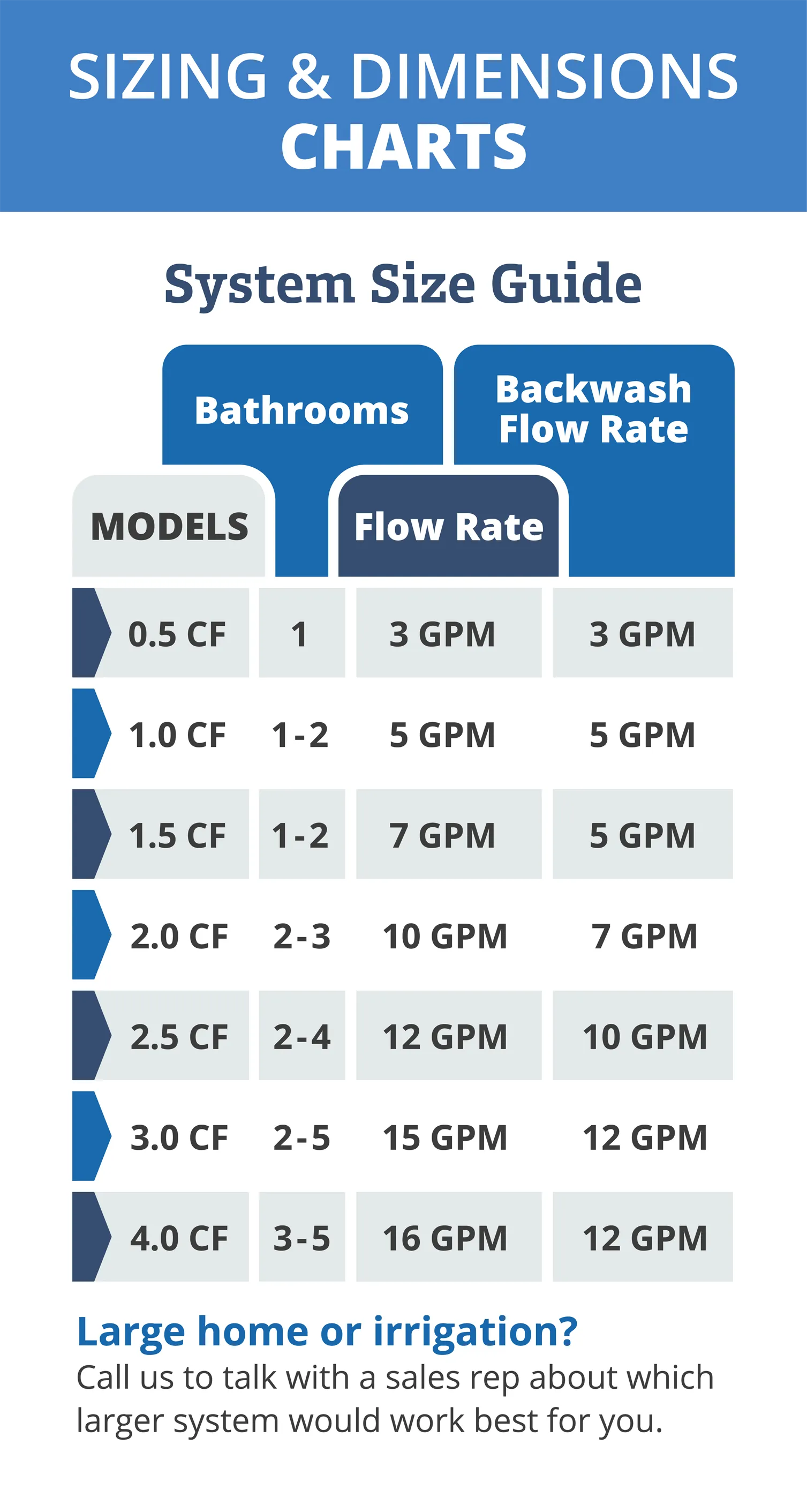
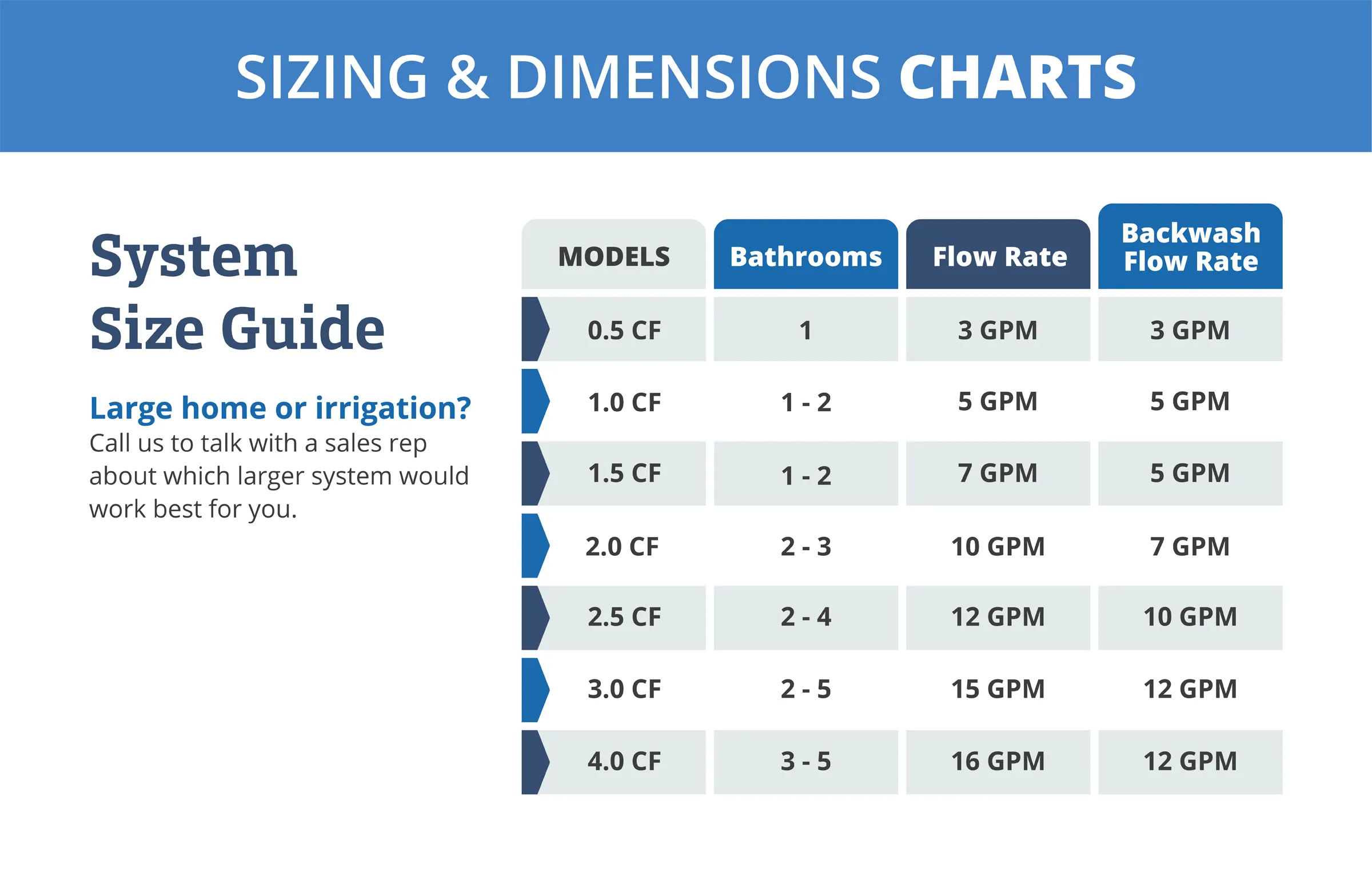
I was responsible for creating multiple technical diagrams for Clean Water Store. Clean Water Store is a company that supplies consumer and commercial water treatment systems. I created these by using photos I took and working with them in Photoshop and Illustrator, which I used to create both PC and mobile versions (shown below). I then had to code these graphics into our website so that the text was crawlable. You can find more details on how I created these lower on this page.
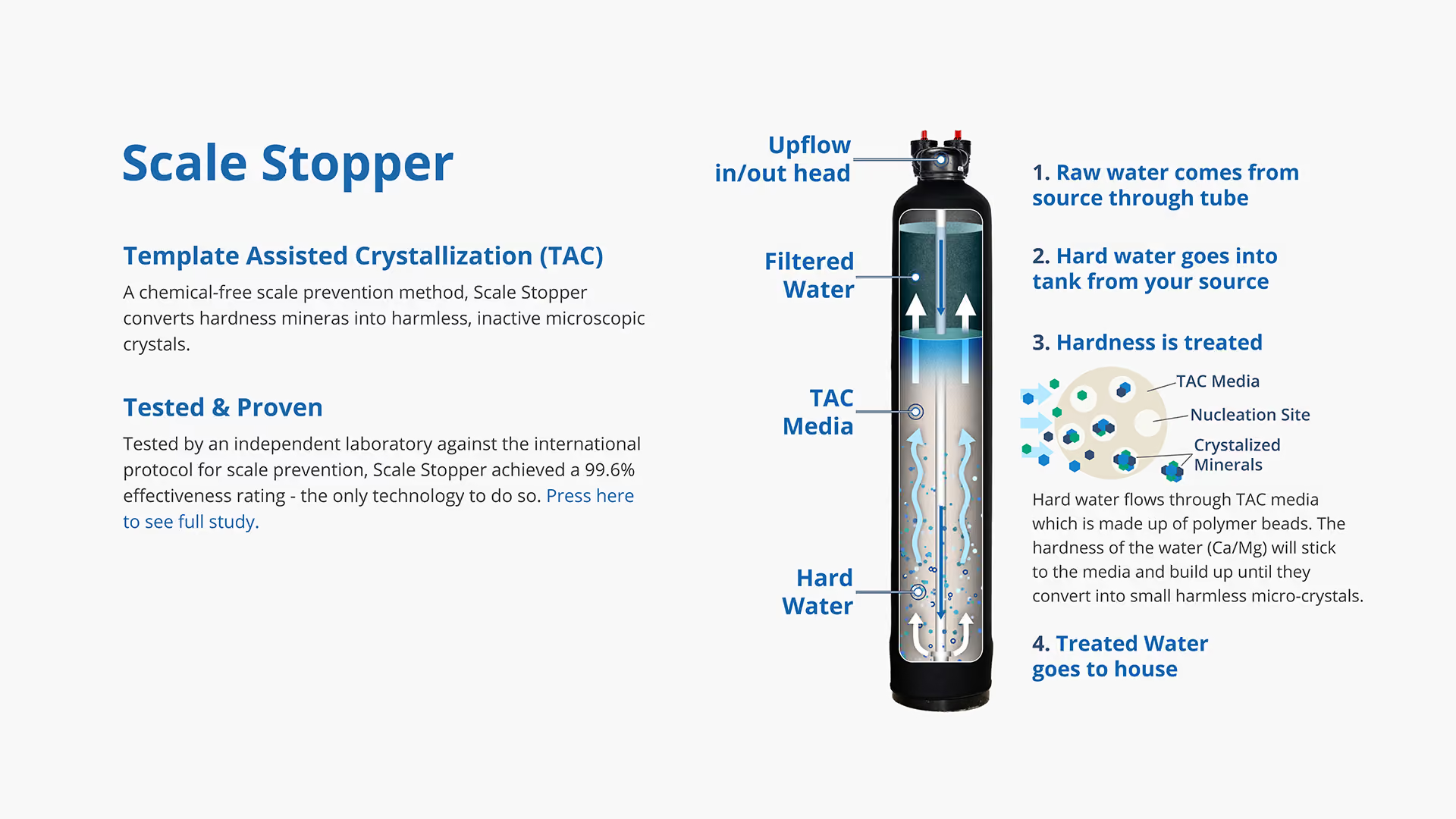
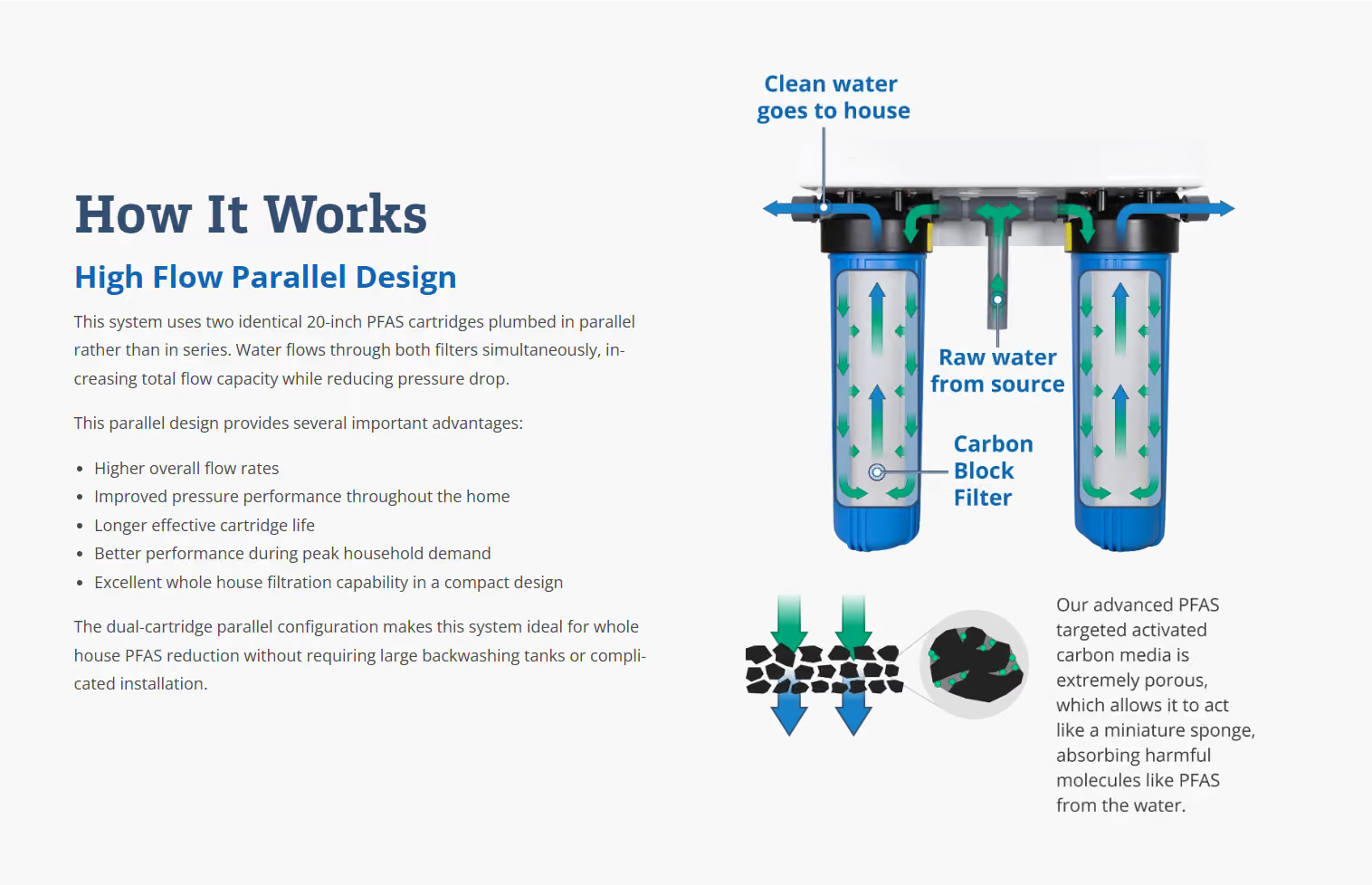
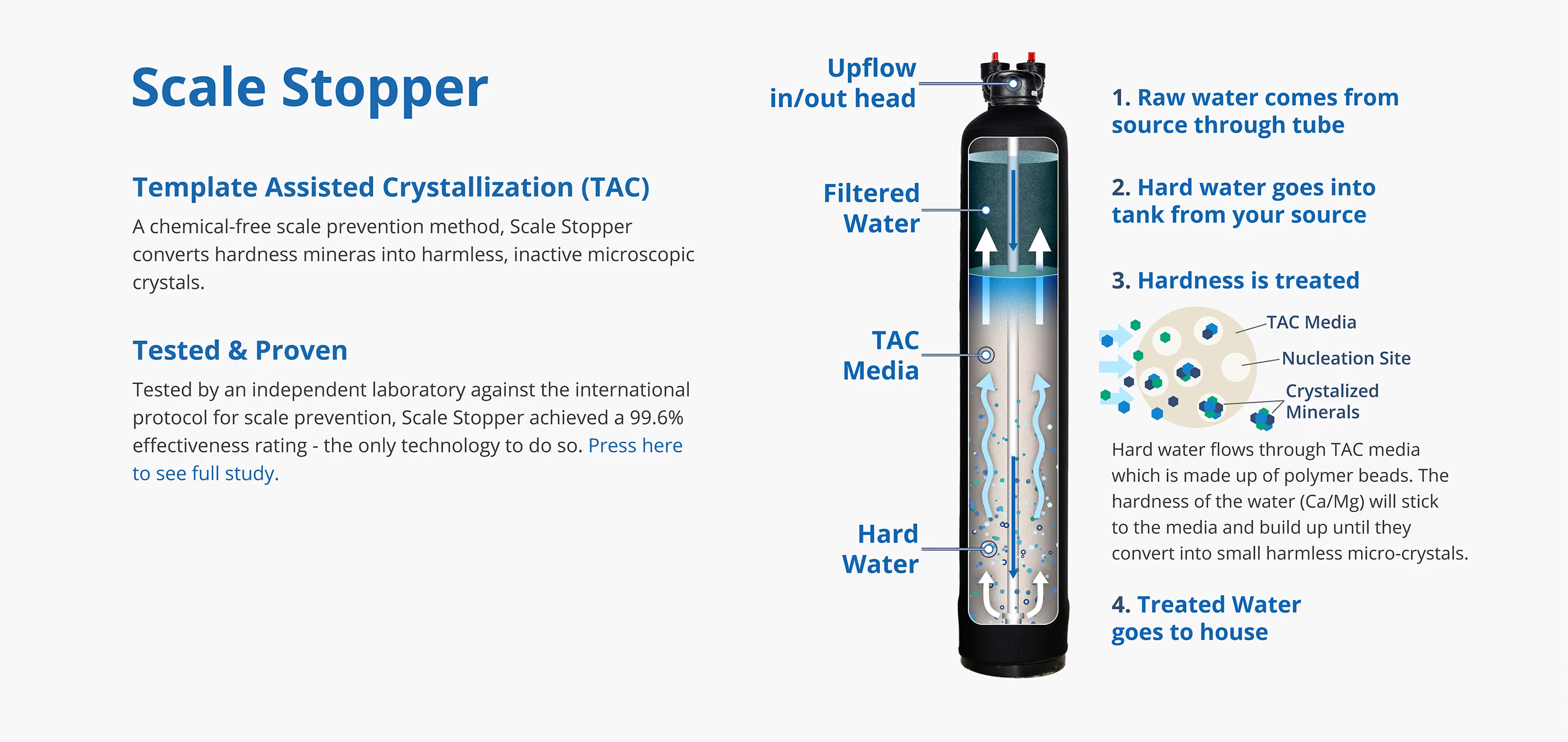
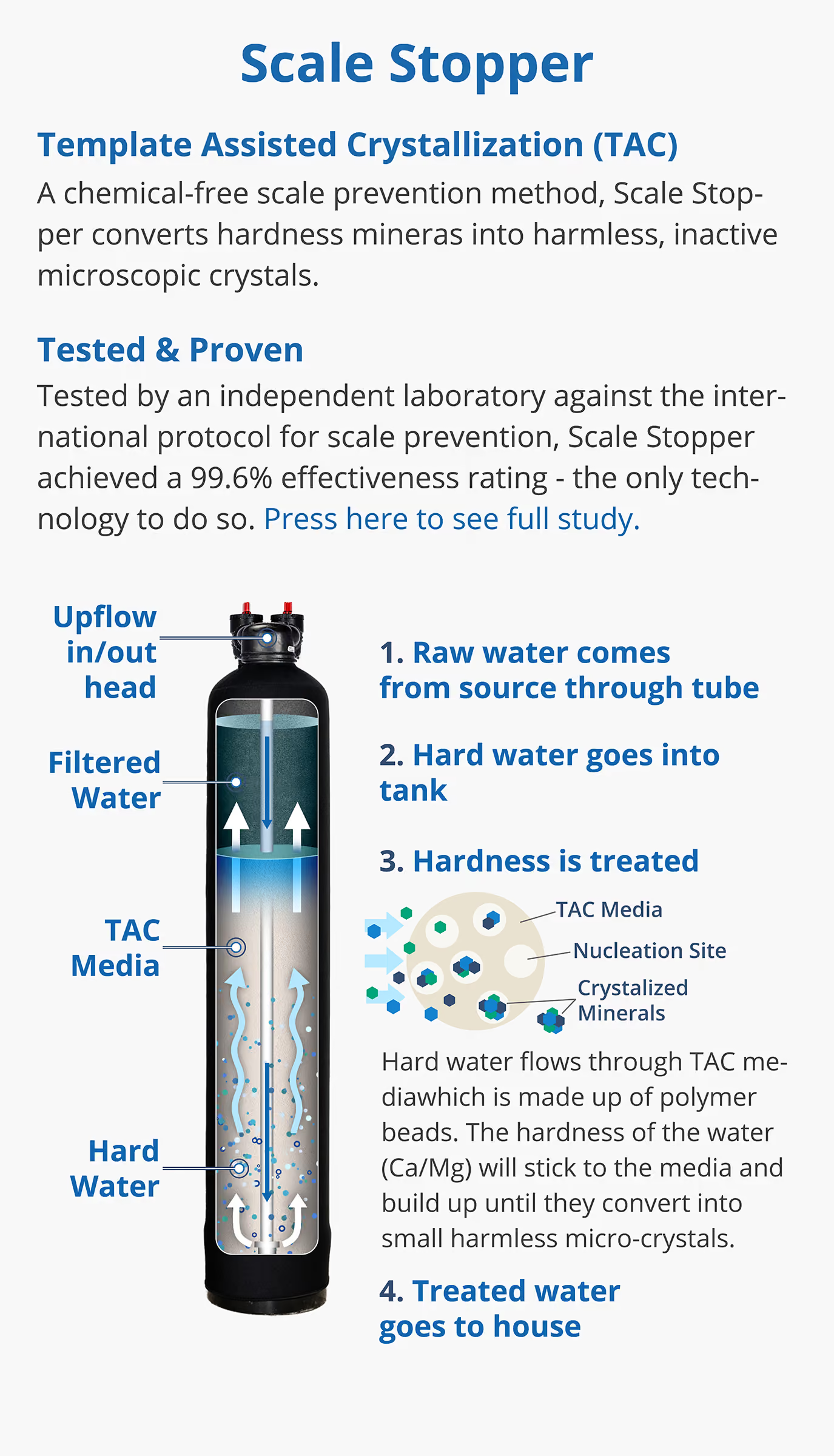
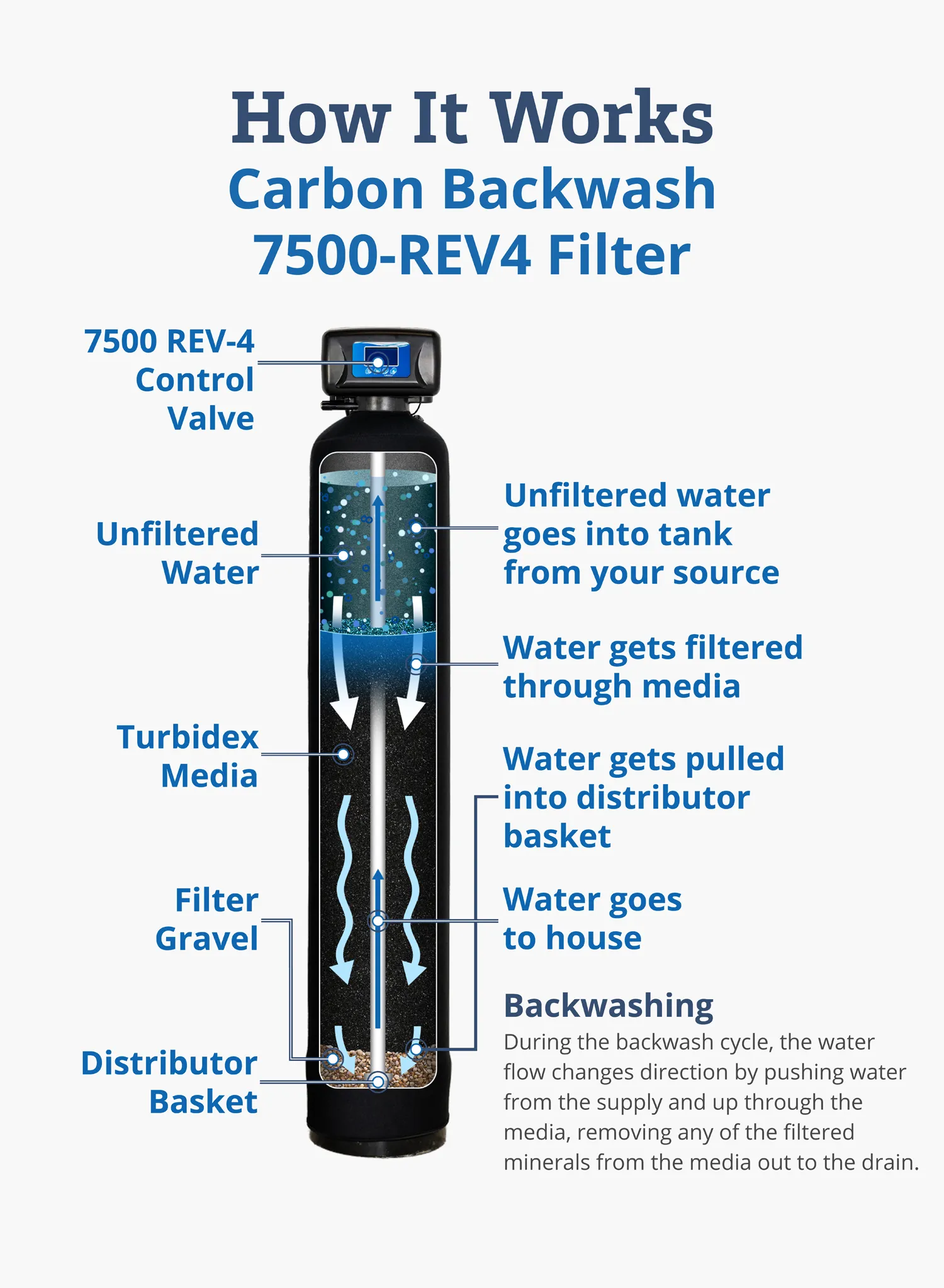
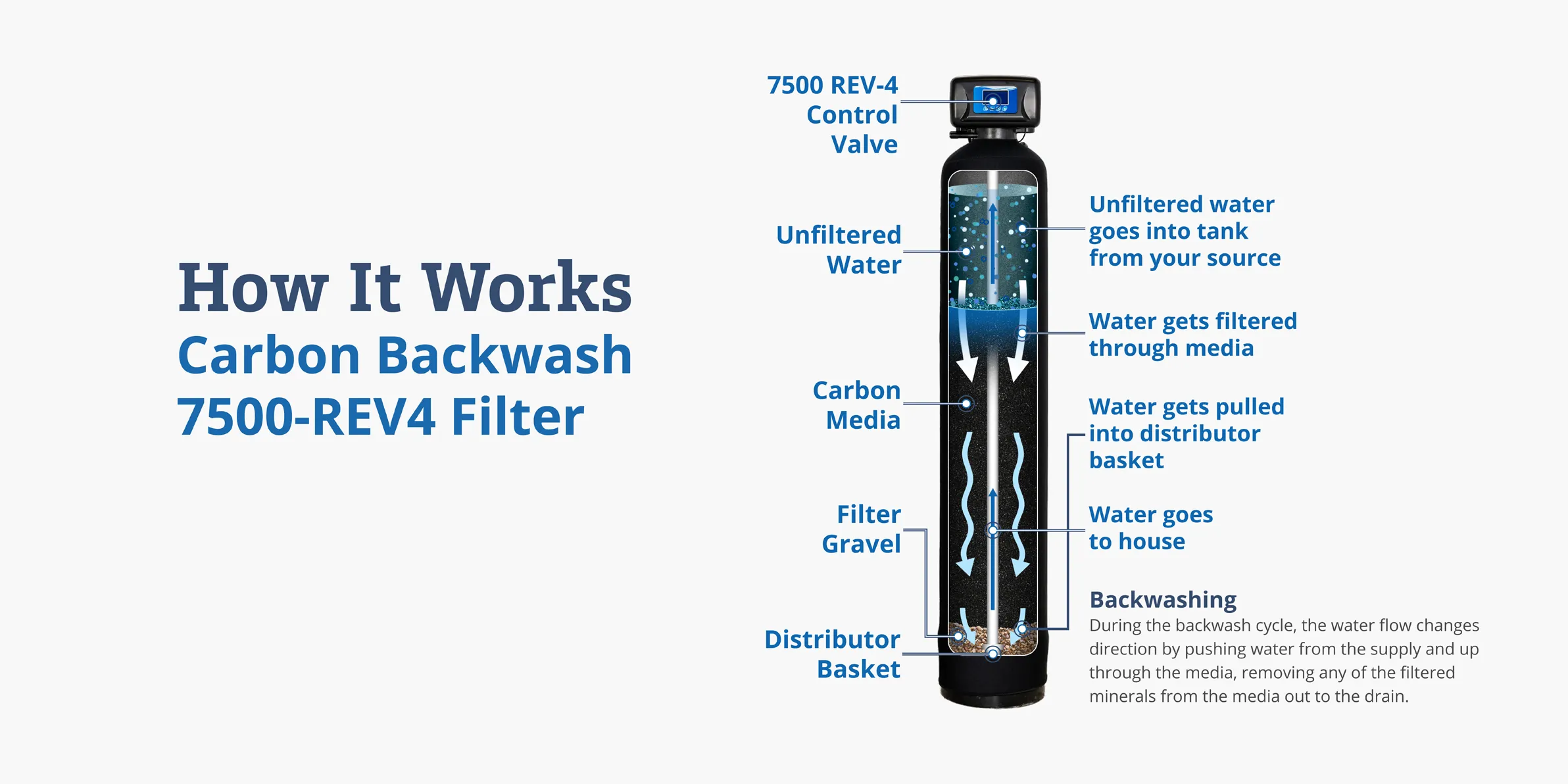
To create these technical diagrams, I first took pictures of the systems. After that, I took pictures of the media that goes into these systems and used Photoshop to create textures for each media type. Once this was done, I used Photoshop to edit the media into the system and add effects like particles and water. The next step was to import this edit into Illustrator to add arrows, other vector graphics, and some information as text. Finally, I wrote the code to add the rest of the text and add these as responsive sections on web pages that have mobile and PC versions.

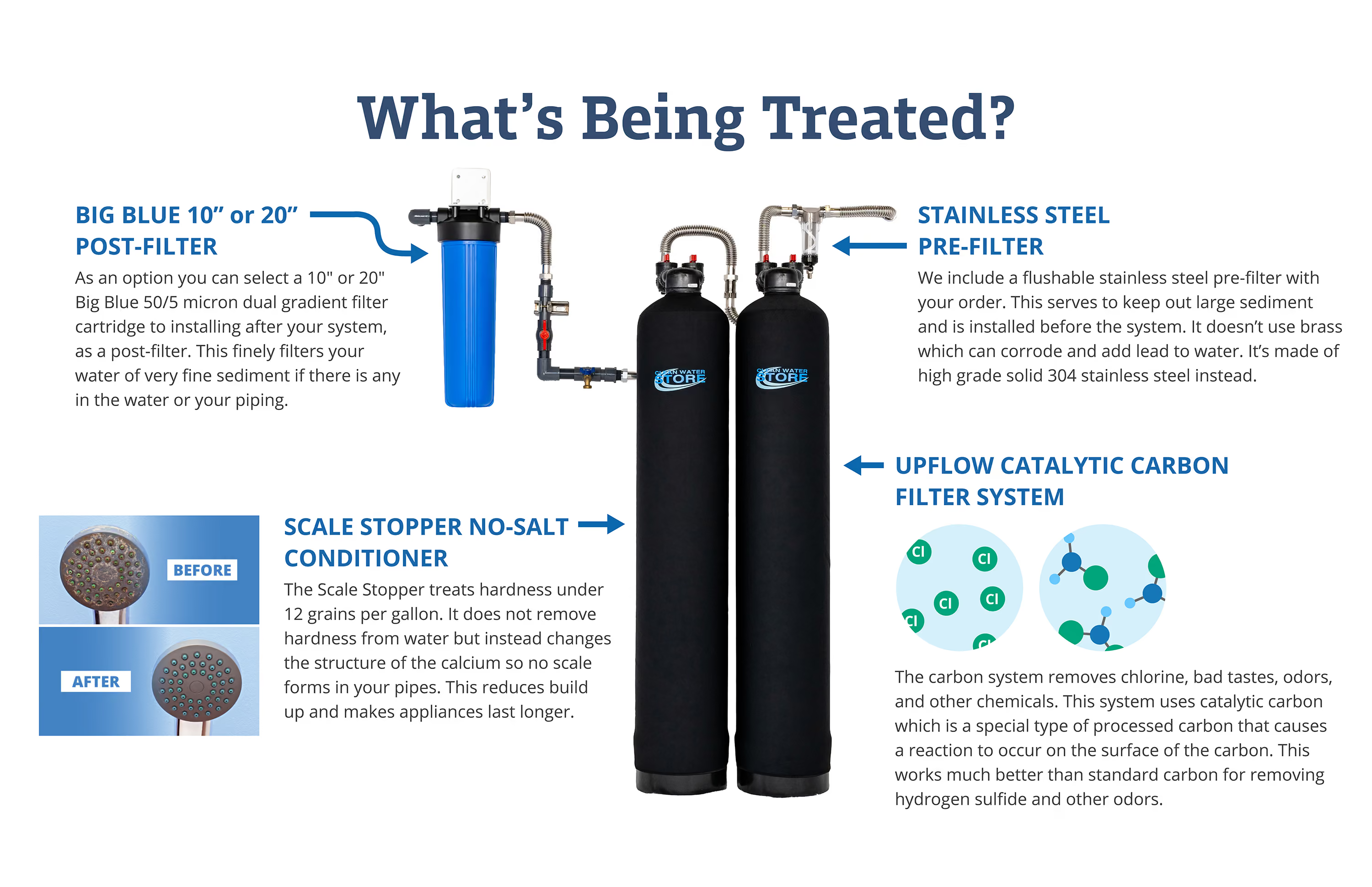
Here are some examples of additional graphics I created, which include sizing charts and diagrams that show what a system bundle treats.